Support > Guides > How to Retake a Course
How to Retake a Course
Enrolling in a course gives you access for one year, and you can watch the video or take the quiz unlimited times, but you can only earn one certificate for completing the course. To earn another certificate, you must reset the course.
● To earn additional CAPCE credit, you must also wait 24 hours before retaking it. The certificates must show different dates. Please note that the NREMT does not accept repeated courses during the same licensing period.
● Resetting a course archives it. It does not remove it from your permanent CEU record, but it does remove the previous certificate and quiz data from your My Courses page.
After the one-year subscription expires, to retake the course, re-enroll and reset the course.
Follow these steps:
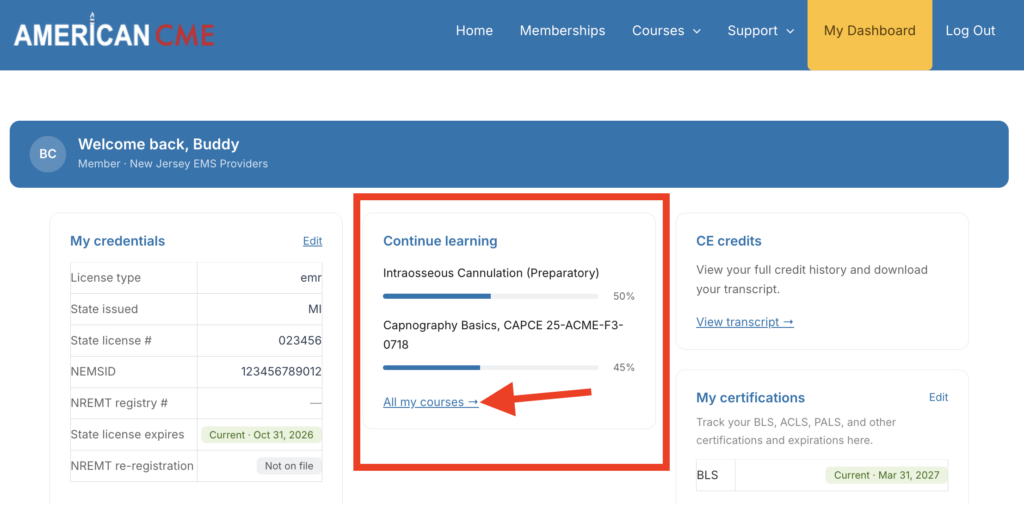
1. Navigate to the completed course on your My Courses page. From the Dashboard, click “All my courses” in the Continue learning box to open the My Courses page or go to americancme.org/my-account/my-courses/.
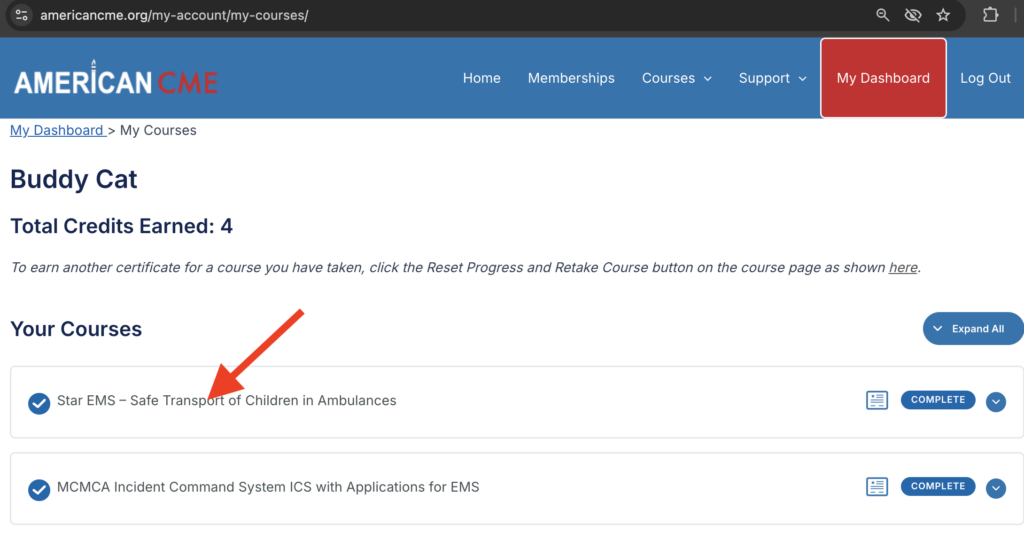
2. On your courses page, select the course by clicking the title.
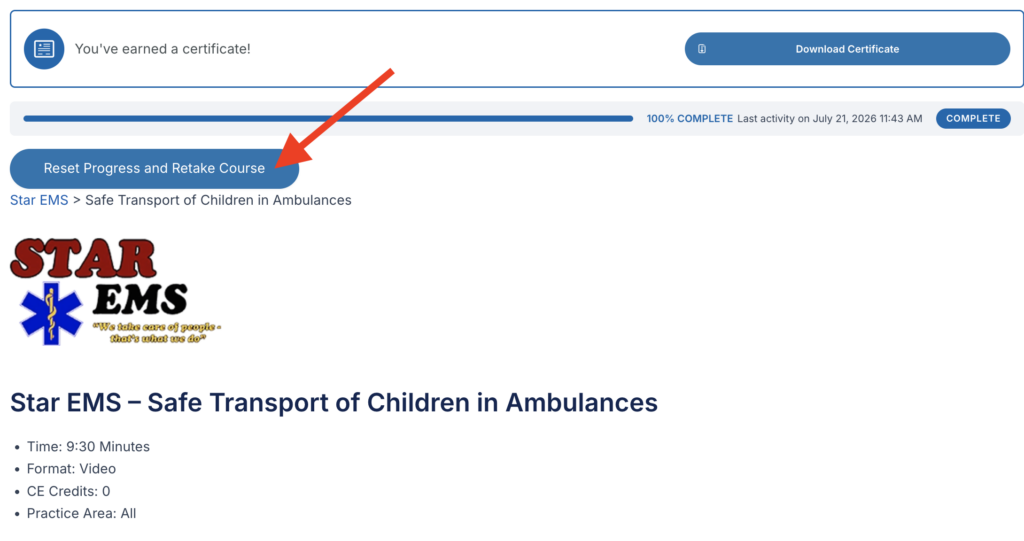
3. On the course homepage, beneath the area where your certificate is, click the Reset Progress and Retake Course button. The Reset Progress button (and your previous certificate) will vanish, and you are all set to retake the course.